How to sign up as new
A prepaid phone new sign-up is a way to activate with a new number. If you gather what you need and apply yourself, it usually takes around 10 minutes, and you can do it every day from 8 a.m. to 9:30 p.m.
When a new sign-up fits
Choose a new sign-up if you have overdue or unpaid phone bills or a remaining micropayment balance, or if you need a new number separate from the one you used.
| Your situation | Sign-up type |
|---|---|
| I have overdue or unpaid bills or a remaining micropayment balance | New sign-up |
| My line was suspended or terminated and I need a new number | New sign-up |
| I want one more number, like for work or a sub phone | New sign-up |
| I have no unpaid bills and want to keep my current number | Number porting |
Which carrier should you activate with?
Choose a carrier and you’ll go on to SIM photos and screens.
What to prepare for a new sign-up
Korean citizens can apply on their own with three things: ID, a simple authentication certificate, and a SIM.
- ID
- Resident registration card or driver’s license
- Simple authentication certificate
- One of KakaoTalk, Toss Bank, PASS, KB Kookmin Bank, or Shinhan Bank
- SIM
- KT Baro SIM, LG Modu One-Chip SIM, LG Daiso GoGoB SIM, or LG eSIM
If you don’t have a simple authentication certificate, we guide you to in-person activation. Even if your existing phone is suspended, you can use KakaoTalk or Toss verification over Wi-Fi.
New sign-up shown with application screens
Swipe to the right and follow along in order.
Choose a network
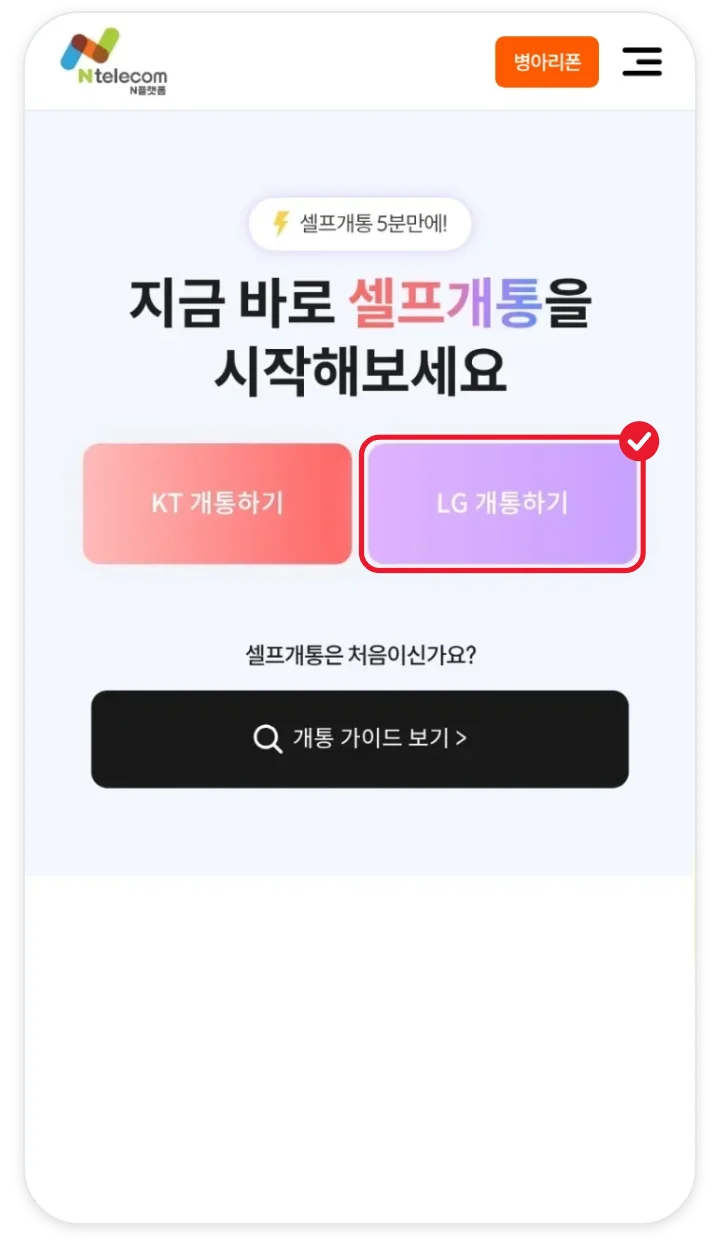
Tap Activate (개통하기) for KT or LG. The picture is an LG example.
Choose new sign-up
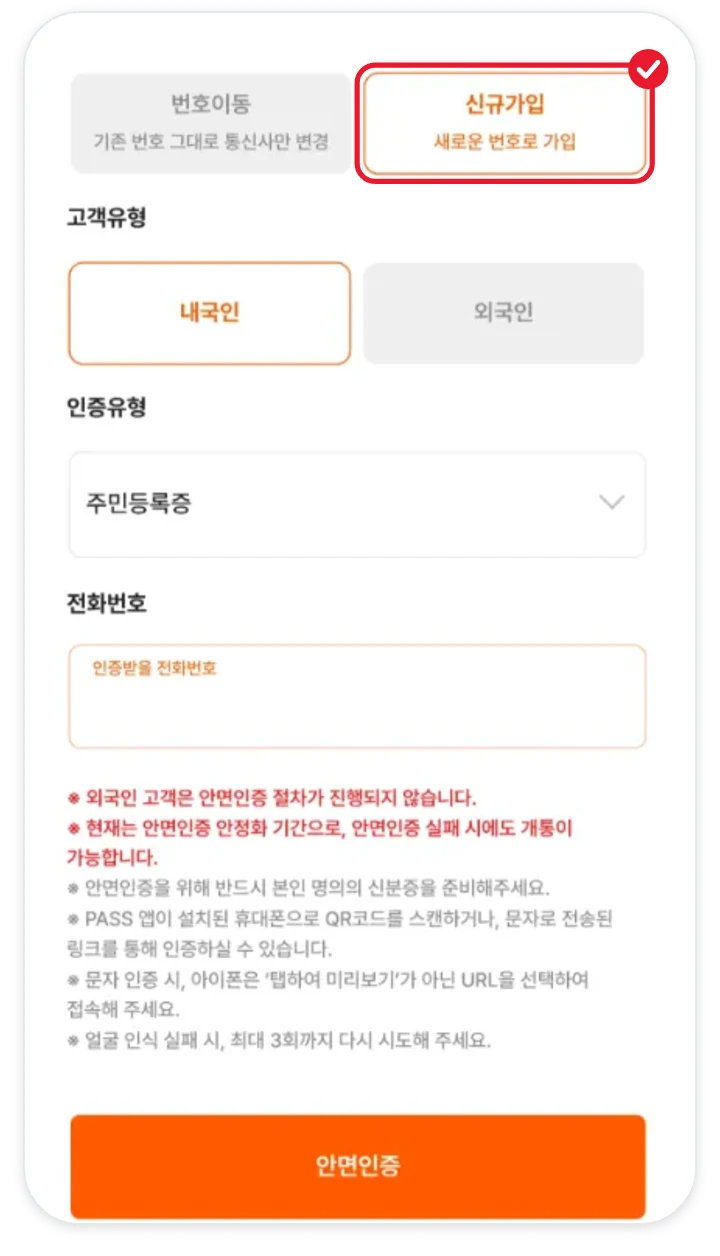
Tap New sign-up under sign-up type.
Face verification
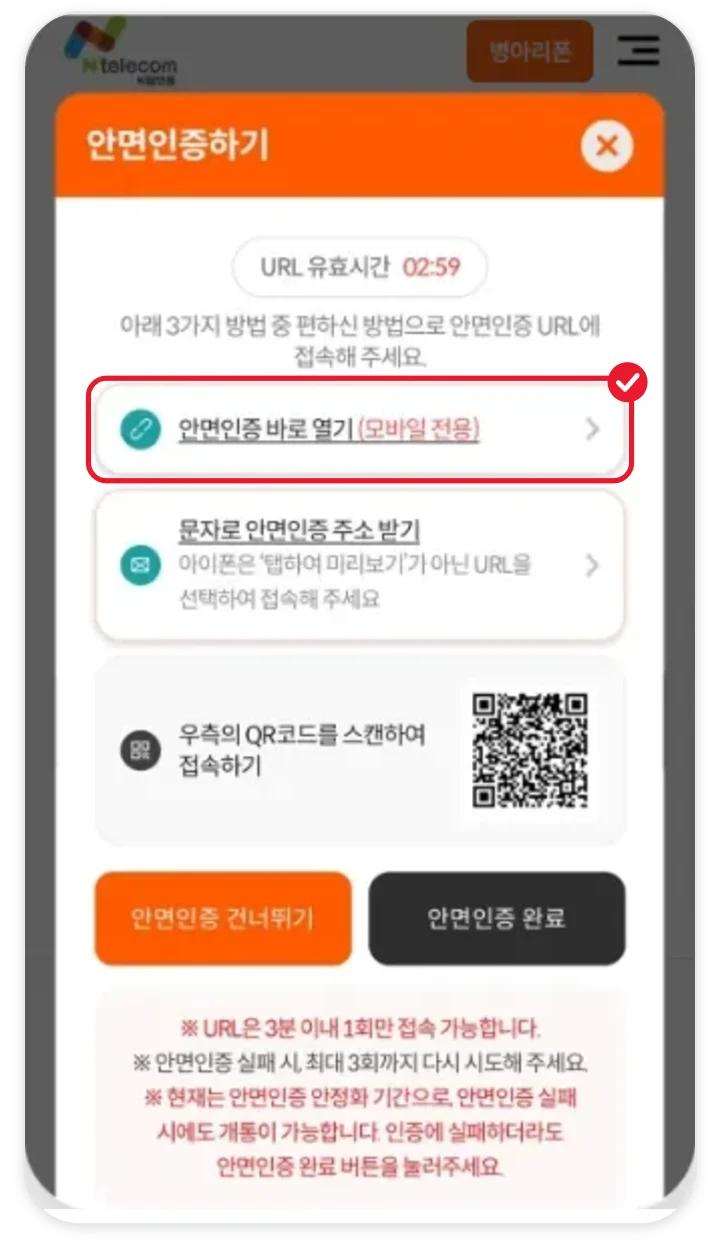
Match your face and ID at the address shown. If you fail 3 times, you move on to the next step.
Simple authentication
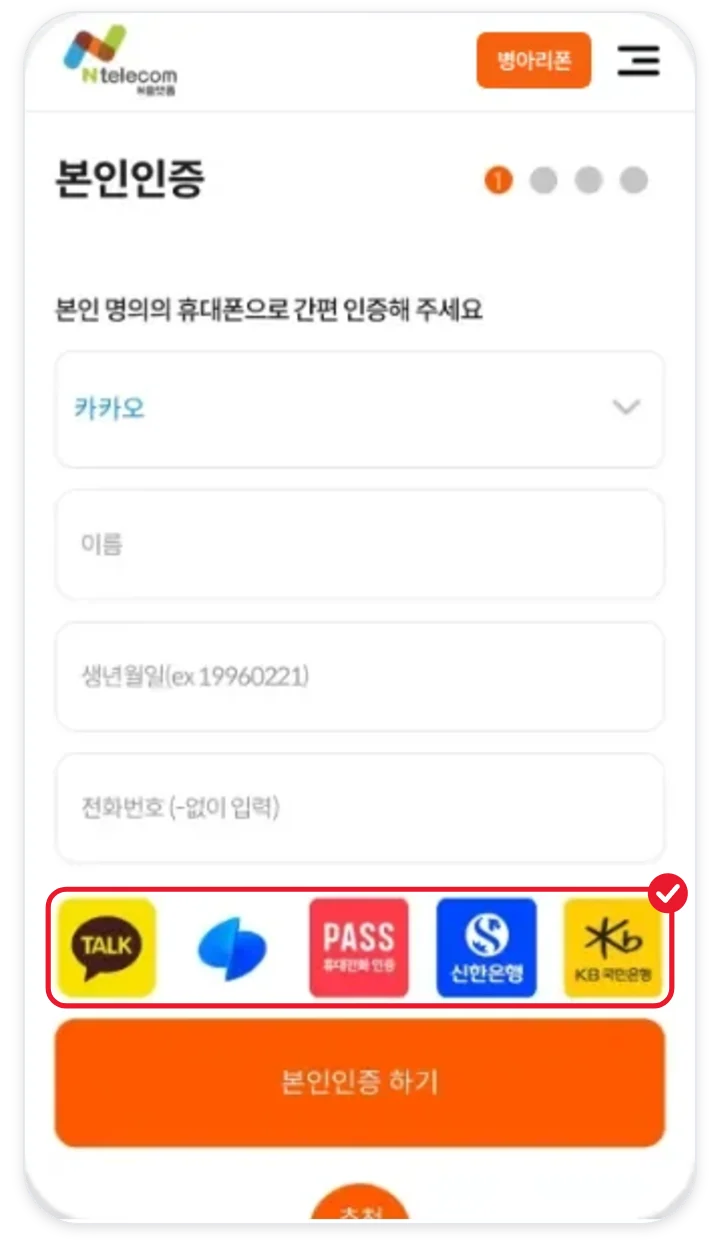
Verify your identity with the certificate you have.
Customer type, prepaid, SIM owned
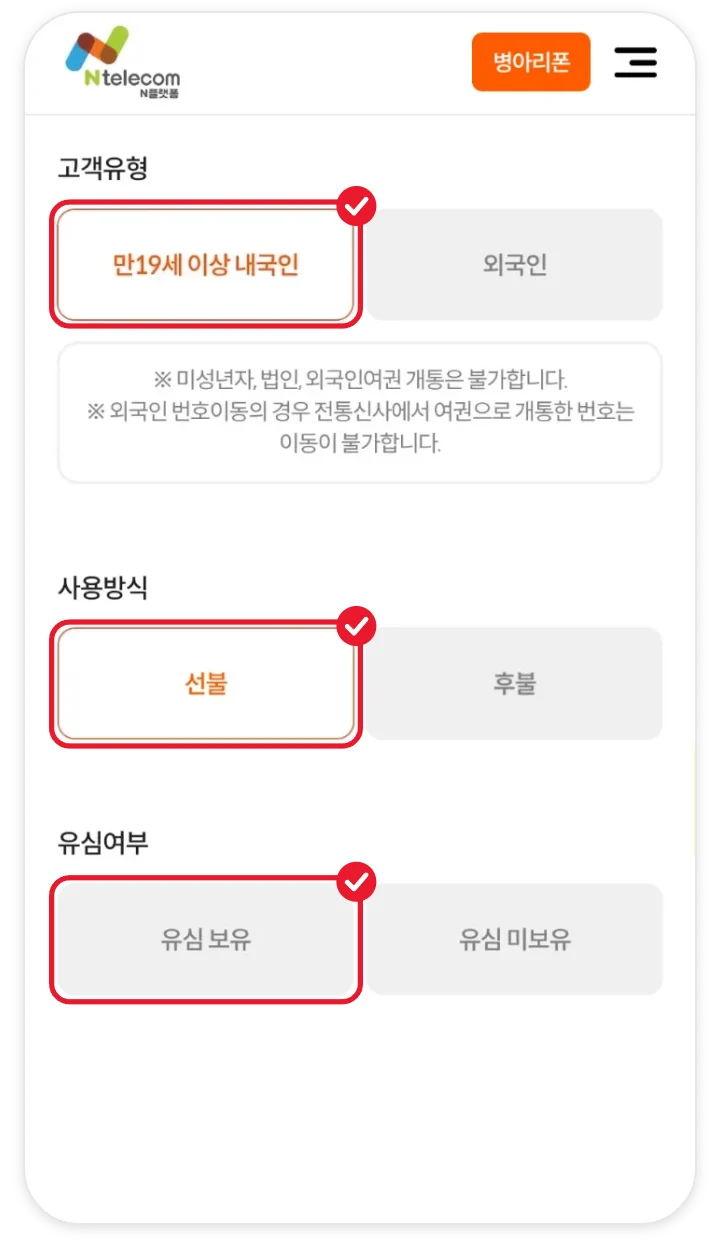
Tap Korean citizen aged 19 or older, prepaid, and SIM owned, in that order.
Enter the SIM number
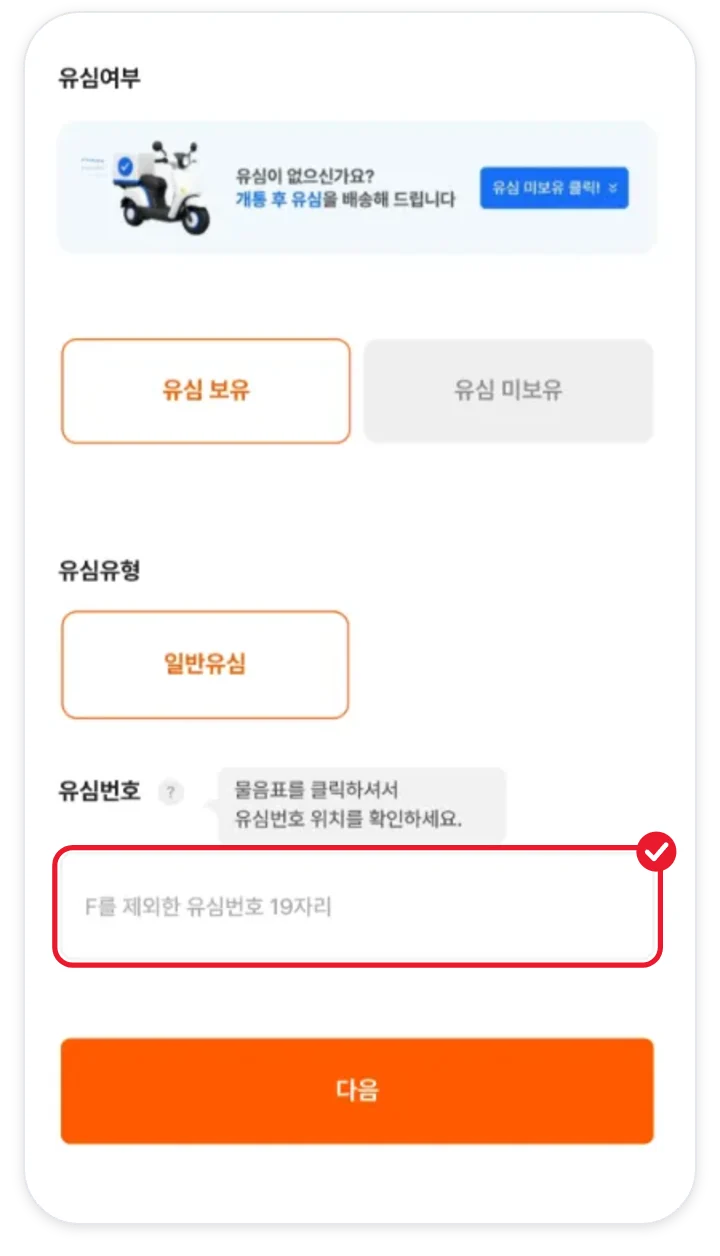
For KT, enter 19 digits in one field. For LG, enter the model name and serial number in two fields.
Choose a plan
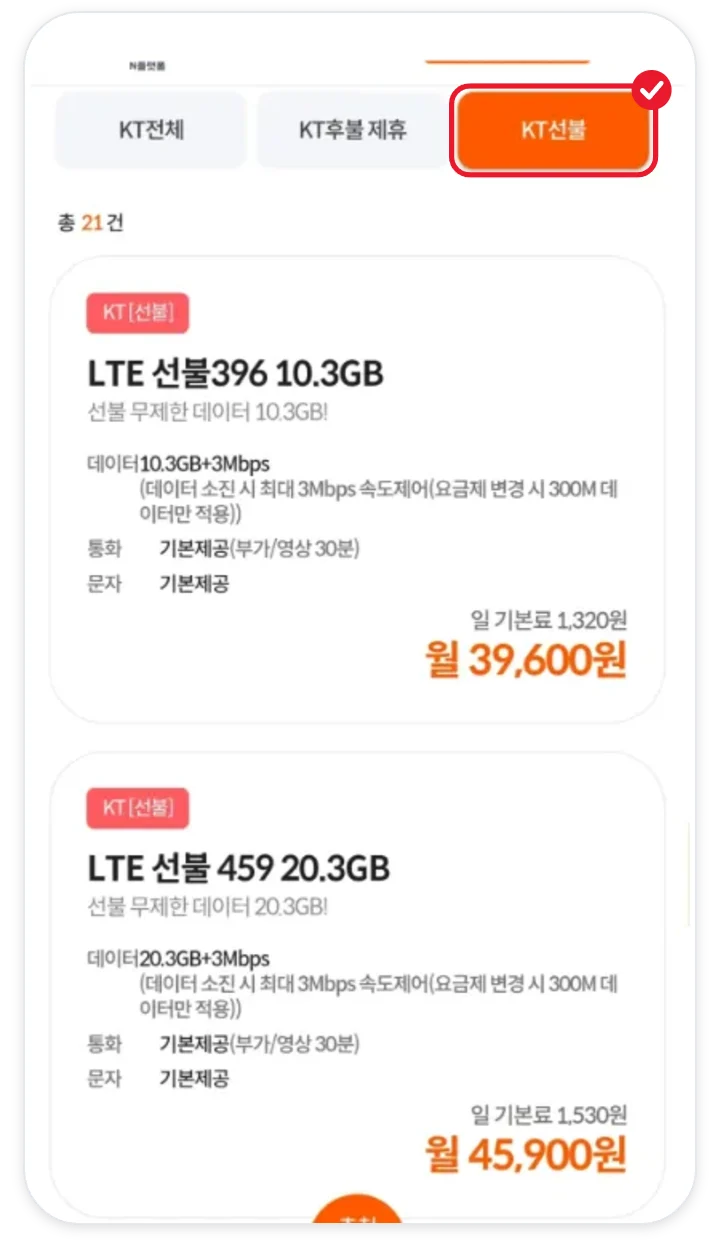
Find the plan you chose among the prepaid plans.
Activate
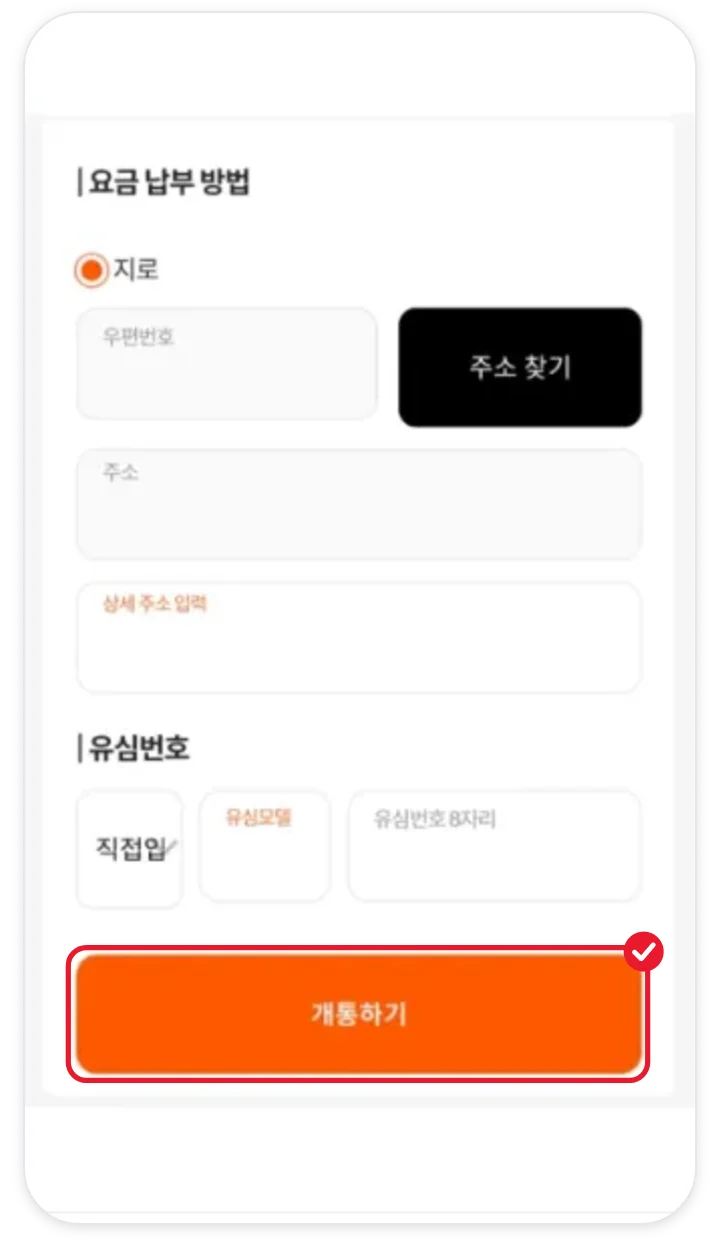
Check the details and tap Activate (개통하기).
Top-up and confirmation call
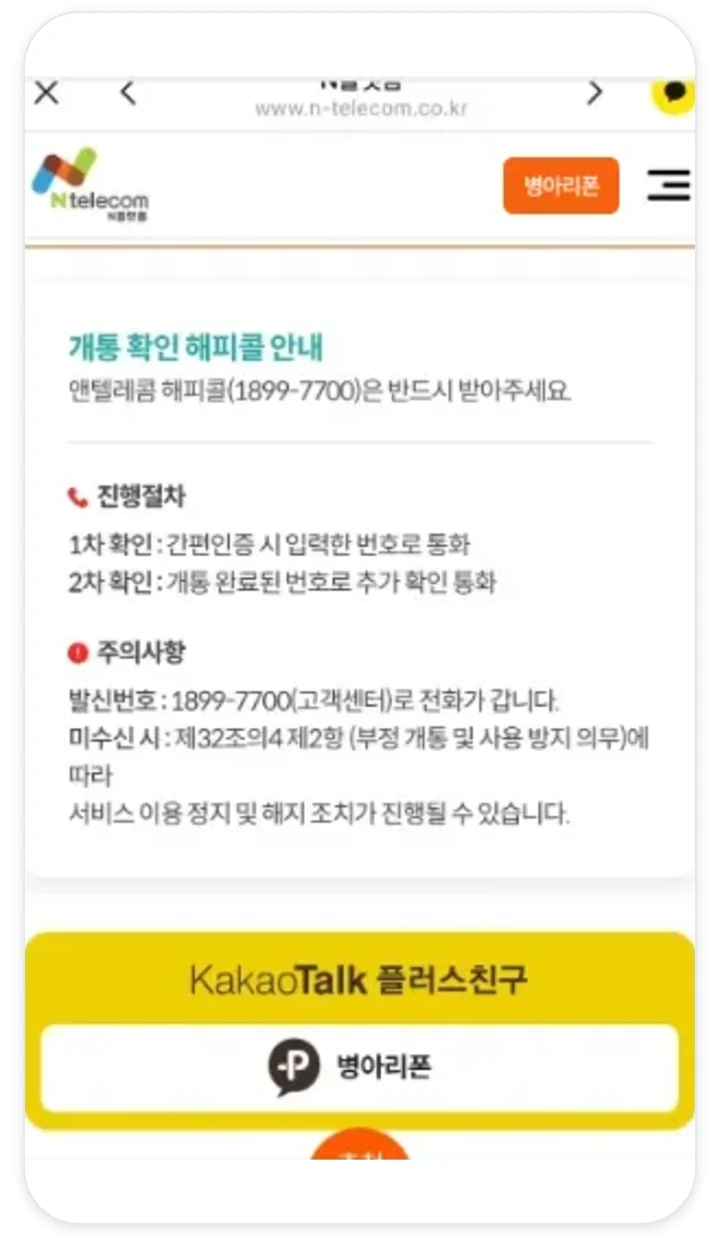
Top up on the day of activation, and answer the 1899-7700 call that comes within 3 days.
When online activation is not possible
If you have unpaid N-Telecom bills or no simple authentication certificate, you can’t finish online right away. Please proceed as described below.
- If you already have an N-Telecom line, you cannot activate another one online. Add extra lines through in-person activation.
- If you have unpaid N-Telecom bills, activation goes through after you pay them off.
- If you activated 3 lines within the last 180 days, you can activate again after that period passes.
- If you have no simple authentication certificate or the line is in a minor’s name, use in-person activation.
- Foreigners get 1 line per person and can only use in-person activation, bringing a passport or Alien Registration Card.
- Corporate names are accepted for MVNO postpaid only.
New sign-up FAQ
How is a new sign-up different from number porting?
A new sign-up gives you a new number, while number porting brings over the number you were using. If you have overdue or unpaid bills or a remaining micropayment balance, go with a new sign-up. Number porting conditions
Can I use it together with my old number?
Yes. You keep your current number as it is and add one more line, so you can use both.
How many lines can I activate?
If you activated 3 lines within the last 180 days, you can activate again after that period passes.
Can I apply without a SIM?
It is faster to get a SIM first. With LG, you can activate without a physical SIM by using an eSIM (2,750 KRW, supported models only).
Can a minor apply on their own?
Self-activation is not available for minors or corporate names. For a phone your child will use, apply in a parent’s name or proceed by in-person activation.
Can I make a new sign-up on Sundays or public holidays?
Yes. Online new sign-up is available every day, including Sundays and public holidays, from 8 a.m. to 9:50 p.m. To be safe, please finish by 9:30 p.m.
Is there a credit check?
Prepaid activation has no credit check, but identity verification is still required. You activate in your own name after face verification and simple authentication.
Can I choose my phone number?
You can choose part of the last digits from the list that appears. Once the application is submitted, the number can’t be changed.
I already use N-Telecom. Can I activate one more?
Online is limited to 1 N-Telecom line. For additional lines, use in-person activation.
Can I use the activated number for identity verification?
Yes. With a prepaid phone in your own name, text message identity verification works. When verifying, choose MVNO as the carrier.